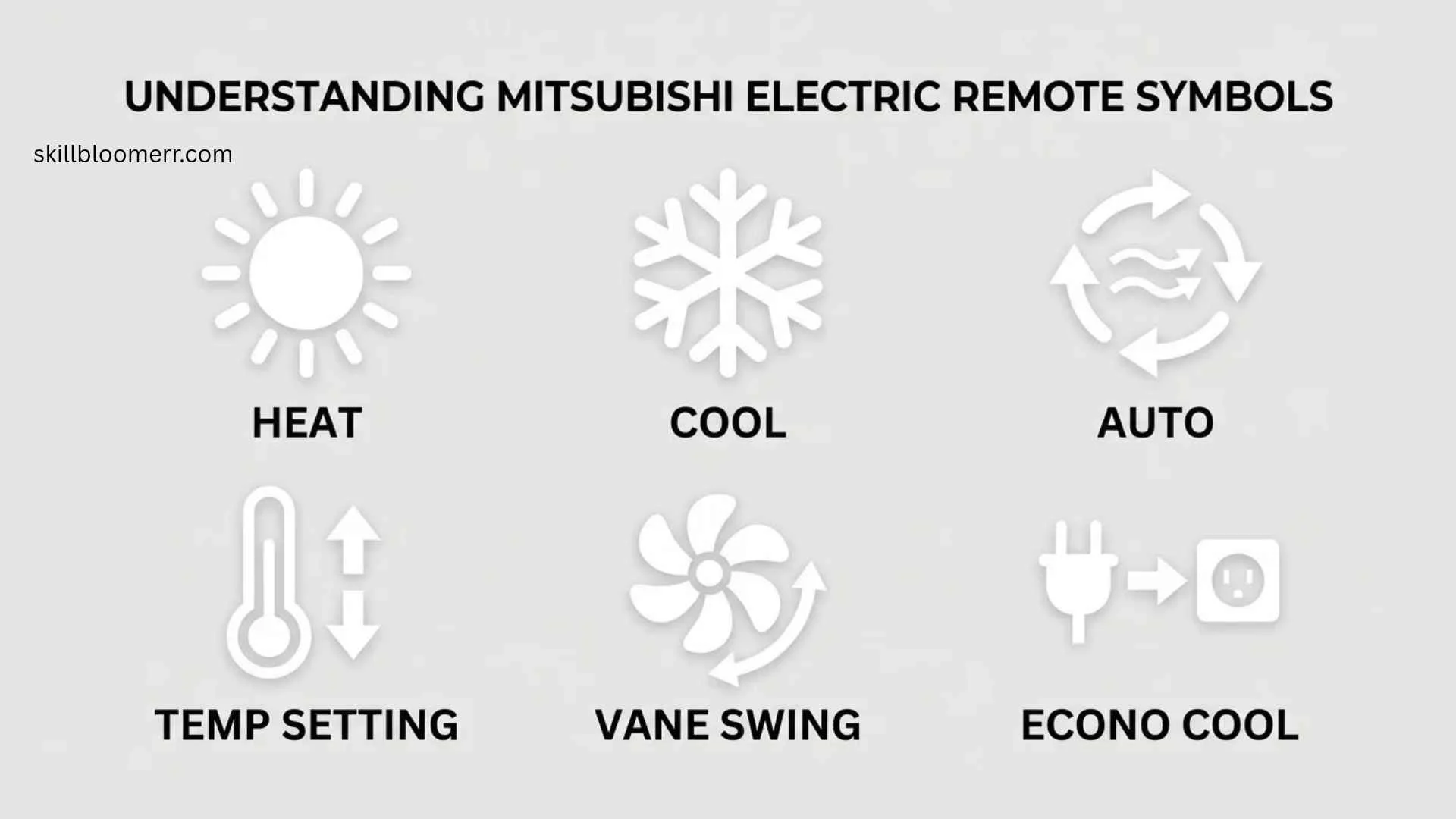
Mitsubishi Electric mini split remote symbols help users control heating, cooling, airflow, and energy-saving features without guessing what each button or icon does.
These symbols appear on Mitsubishi Electric air conditioner remote controls and show important functions such as cooling mode, heating mode, fan speed, dry mode, timer settings, and temperature control.
Understanding Mitsubishi Electric mini split remote symbols makes it easier to use your HVAC system efficiently, avoid incorrect settings, and improve indoor comfort.
Whether you have a Mitsubishi Electric wall-mounted mini split, heat pump system, or inverter air conditioner, learning these icons can help you get the best performance from your unit.
This guide explains each common remote symbol, what it means, when to use it, and common mistakes homeowners make while operating Mitsubishi Electric mini split systems.
Quick Meaning of Mitsubishi Electric Mini Split Remote Symbols
Mitsubishi Electric mini split remote symbols are visual indicators that represent different air conditioner functions. They show operating modes, temperature settings, fan speed, airflow direction, timers, and energy-saving features. These icons allow users to control the mini split system quickly without reading complicated technical instructions.
Mitsubishi Electric Mini Split Remote Symbols Overview Table
| Symbol or Icon | Primary Meaning | Category | Common Usage |
| ❄ Snowflake | Cooling Mode | Temperature Control | Used during hot weather |
| ☀ Sun | Heating Mode | Temperature Control | Used for warming rooms |
| 💧 Water Drop | Dry Mode / Dehumidification | Air Quality | Removes moisture from air |
| Fan Icon | Fan Only Mode | Airflow | Circulates air without heating or cooling |
| AUTO | Automatic Mode | Smart Control | System chooses suitable operation |
| Clock Symbol | Timer Function | Scheduling | Sets automatic start or stop |
| Swing Arrows | Airflow Direction | Comfort Control | Moves air louvers automatically |
| Human/Person Icon | Sensor Function | Smart Feature | Detects room conditions |
| Leaf Icon | Energy Saving | Efficiency | Reduces power consumption |
| Powerful Icon | High Output Mode | Performance | Provides faster cooling or heating |
| Temperature Number | Set Temperature | Control Display | Shows desired room temperature |
What Do Mitsubishi Electric Mini Split Remote Symbols Mean?
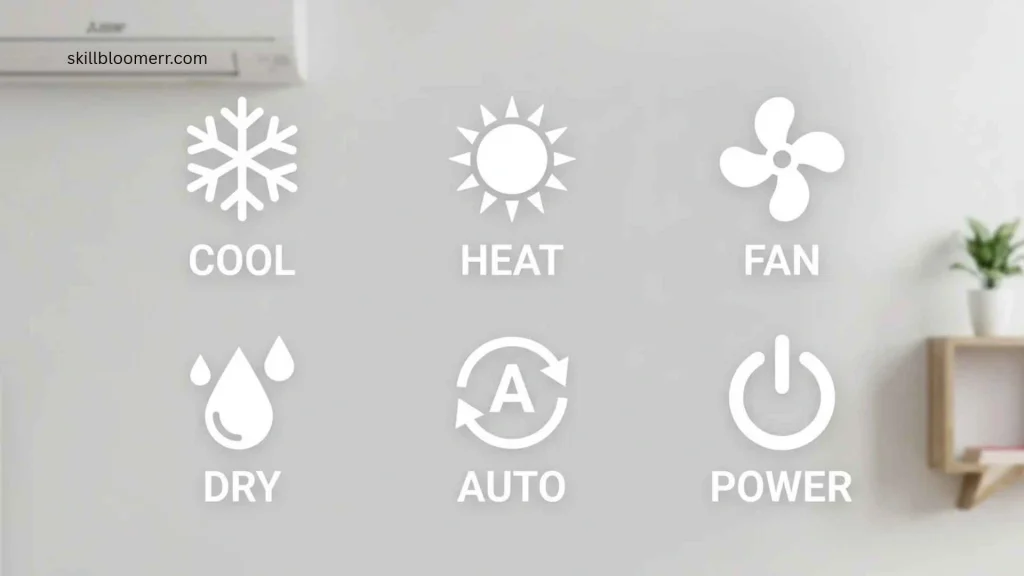
Mitsubishi Electric remote symbols represent different commands that communicate with the indoor air conditioning unit. Each symbol tells the system how to operate.
The most important symbols are related to operating modes. These determine whether the unit cools, heats, removes humidity, or simply circulates air.
Cooling Mode Symbol (Snowflake ❄)
The snowflake symbol represents cooling mode. When this icon appears, the Mitsubishi Electric mini split works like an air conditioner by removing heat from indoor air and releasing cooler air into the room.
Cooling mode is commonly used during:
- Summer months
- Hot indoor conditions
- Rooms needing temperature reduction
A common mistake is selecting cooling mode when the outdoor temperature is extremely low, which may reduce efficiency depending on the model.
Heating Mode Symbol (Sun ☀)
The sun symbol indicates heating mode. In this setting, the mini split reverses operation and transfers heat into the room.
Heating mode is useful for:
- Cold winter days
- Maintaining comfortable indoor temperatures
- Heat pump operation
Mitsubishi Electric heat pump systems are designed to provide both heating and cooling from the same unit.
Dry Mode Symbol (Water Drop 💧)
The water drop symbol represents dry mode or dehumidification. This setting removes excess moisture from indoor air while providing mild cooling.
Dry mode is helpful in:
- Humid climates
- Rainy seasons
- Rooms that feel damp
However, dry mode is not designed to replace a dedicated dehumidifier in extremely humid environments.
Fan Mode Symbol
The fan symbol means the system only circulates air. The compressor does not actively cool or heat the room in most fan-only settings.
Fan mode can help when:
- The room temperature is already comfortable
- You want air movement
- You need ventilation-like airflow
History and Development of Mitsubishi Electric Mini Split Controls
Mitsubishi Electric developed advanced air conditioning technologies as part of its long history in electrical and climate control systems. The company introduced many innovations in inverter technology, heat pump systems, and energy-efficient HVAC solutions.
Traditional air conditioners used simple controls with limited buttons. Modern mini split systems use digital remotes with symbols because icons provide faster understanding across different languages and regions.
Remote symbols became especially important as Mitsubishi Electric expanded globally into markets including:
- Japan
- North America
- Europe
- Asia
- Australia
Instead of relying only on text labels, universal icons allow users from different language backgrounds to operate the same equipment.
Symbolism and Interpretation of Remote Icons
Although Mitsubishi Electric remote symbols are technical indicators rather than cultural symbols, each icon communicates meaning through familiar visual language.
Why Symbols Are Used Instead of Words
Symbols improve usability because:
- They are understood internationally
- They reduce language barriers
- They allow faster recognition
- They simplify remote designs
For example, a snowflake naturally suggests cold conditions, while a sun suggests warmth.
Positive Meaning of These Symbols
These icons represent:
- Comfort
- Control
- Efficiency
- Climate management
- Technology
They help users create a better indoor environment with minimal effort.
Common Misinterpretations
Some users misunderstand symbols because:
- Different models use slightly different icons
- Older remotes may not include newer features
- Similar icons may represent different functions
Always compare the remote display with your specific Mitsubishi Electric manual.
Cultural Significance of HVAC Symbols
HVAC symbols do not have religious or traditional cultural meanings, but their design follows international visual communication principles.
Different regions may display preferences:
- Asian markets often use compact digital icons
- European systems commonly use standardized climate symbols
- North American users often see English labels combined with icons
The purpose remains the same: making technology easier to operate.
Scientific and Technical Meaning of Mini Split Remote Symbols
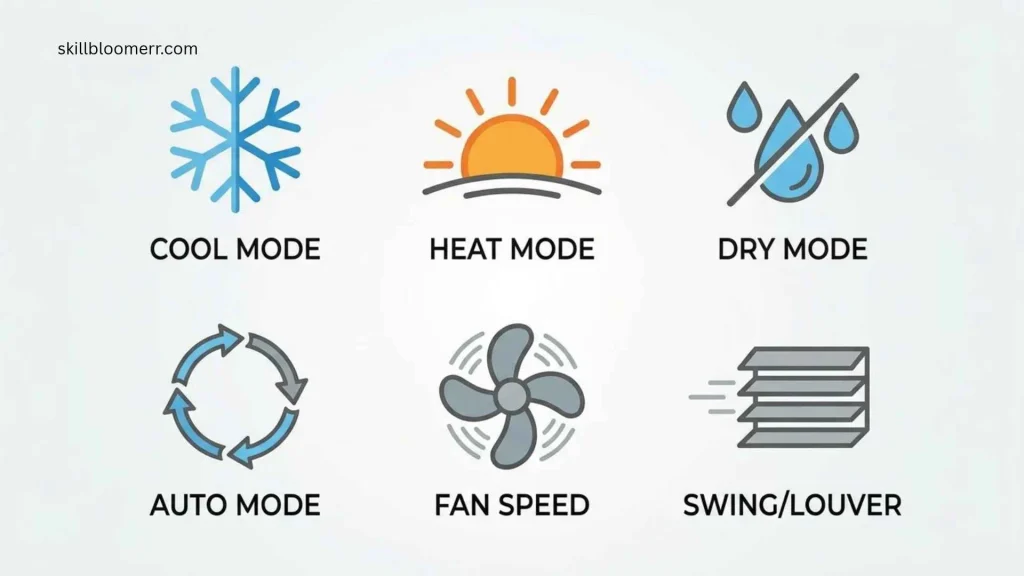
Mitsubishi Electric mini split symbols represent technical functions related to refrigeration, airflow, electronics, and temperature control.
Cooling Symbol and Refrigeration Technology
The snowflake icon connects to refrigeration principles. The system uses refrigerant circulation to transfer heat away from indoor spaces.
Heating Symbol and Heat Pump Technology
The sun icon represents heat pump operation. Heat pumps move heat from one location to another instead of creating heat through combustion.
Fan Speed Symbols
Fan indicators show airflow levels:
- Low speed
- Medium speed
- High speed
- Automatic fan adjustment
Higher fan speeds move air faster but may increase noise.
Timer Symbol
The clock icon represents programmed operation. Users can schedule:
- Automatic startup
- Automatic shutdown
- Energy-saving periods
Where Mitsubishi Electric Remote Symbols Are Used
These symbols appear in many Mitsubishi Electric climate control products.
Residential Homes
Homeowners use remote symbols for:
- Bedrooms
- Living rooms
- Offices
- Apartments
Commercial Buildings
Businesses use mini split systems in:
- Small offices
- Retail spaces
- Restaurants
- Guest rooms
Smart HVAC Technology
Modern systems may connect with:
- Mobile applications
- Smart controllers
- Building management systems
Remote symbols remain important even when control moves from physical remotes to digital interfaces.
Common Variations of Mitsubishi Electric Remote Symbols
Remote designs can differ depending on the model and region.
Older Remote Models
Older Mitsubishi Electric remotes may include:
- Basic mode icons
- Simple temperature display
- Limited timer options
Modern Inverter Models
Newer remotes may include:
- Energy-saving icons
- Advanced airflow controls
- Sensor functions
- More detailed displays
Similar HVAC Symbols
Other air conditioner brands may use similar symbols, including:
- Snowflake for cooling
- Sun for heating
- Fan for airflow
- Water drop for humidity control
However, button placement and additional functions can vary.
Common Misconceptions About Mitsubishi Electric Remote Symbols
The Snowflake Symbol Means Freezing
The snowflake does not mean the system will freeze the room. It simply indicates cooling operation.
Dry Mode Always Saves Energy
Dry mode may reduce humidity, but energy savings depend on conditions and system design.
Fan Mode Provides Cooling
Fan mode moves air but usually does not lower room temperature because the compressor is not actively cooling.
All Mitsubishi Remotes Have Identical Symbols
Different Mitsubishi Electric models may use different symbols and features.
Interesting Facts About Mitsubishi Electric Mini Split Remote Symbols
- Icons Reduce Language Barriers
Visual symbols allow users worldwide to operate HVAC systems more easily. - The Snowflake Symbol Is Internationally Recognized
Many air conditioning brands use the snowflake to represent cooling. - Remote Symbols Reflect Human Psychology
People quickly associate natural images like sun and snow with temperature changes. - Mini Splits Use Inverter Technology
Many Mitsubishi Electric systems adjust compressor speed instead of simply turning on and off. - Symbols Help Reduce User Errors
Clear icons make it easier to select the correct operating mode. - Timer Icons Improve Energy Management
Scheduling features can help avoid unnecessary operation. - Airflow Symbols Represent Mechanical Movement
Swing icons show automatic adjustment of air direction. - Remote Designs Change With Technology
Newer systems often include more advanced controls. - Heat Pump Symbols Represent Two-Way Operation
The same system can provide both heating and cooling. - Icons Are Designed for Quick Recognition
Users often understand symbols faster than written instructions.
Related HVAC Symbols and Their Meanings

Thermostat Symbols
Thermostat icons usually represent:
- Temperature adjustment
- Heating
- Cooling
- Scheduling
Air Filter Symbols
Some HVAC systems display filter reminders to indicate cleaning requirements.
Wi-Fi Symbols
Smart HVAC systems may include Wi-Fi icons showing connectivity status.
Energy Saving Symbols
Leaf or eco icons commonly indicate reduced-energy operation.
Frequently Asked Questions About Mitsubishi Electric Mini Split Remote Symbols
What does the snowflake symbol mean on a Mitsubishi mini split remote?
The snowflake symbol means the system is operating in cooling mode. It tells the indoor unit to remove heat from the room and provide cooler air. Users typically select this mode during warm weather when they want to lower indoor temperature.
What does the sun symbol mean on a Mitsubishi Electric remote?
The sun symbol represents heating mode. When selected, the mini split works as a heat pump by transferring heat indoors. This setting is useful during cold weather when users need warmth instead of cooling.
What does the water drop symbol mean?
The water drop symbol indicates dry mode or dehumidification. It reduces moisture in indoor air while providing gentle cooling. It is especially useful in humid conditions where rooms feel uncomfortable because of excess moisture.
Why does my Mitsubishi remote show a fan symbol?
The fan symbol means the unit is operating in fan mode. The system circulates air without actively heating or cooling. This mode can improve airflow when the room temperature is already comfortable.
What does AUTO mean on a Mitsubishi mini split remote?
AUTO mode allows the system to automatically select heating or cooling based on indoor conditions and the temperature setting. It is useful for users who prefer automatic comfort management.
What does the clock symbol mean on the remote?
The clock symbol represents timer settings. It allows users to schedule when the mini split turns on or off, helping manage comfort and energy use.
Why are Mitsubishi remote symbols different between models?
Symbols vary because Mitsubishi Electric produces many mini split models with different features. Advanced models may include extra icons for sensors, energy saving, and smart controls.
How can I identify an unknown Mitsubishi remote symbol?
The best method is checking the model-specific user manual. Remote displays can vary, and the manual provides the most accurate explanation for each icon.
Does dry mode cool better than cooling mode?
No. Cooling mode is designed to reduce temperature, while dry mode mainly removes humidity. The best choice depends on whether your main problem is heat or moisture.
Can Mitsubishi mini split symbols appear on smartphone apps?
Yes. Smart Mitsubishi Electric systems may display similar functions through mobile applications, including mode selection, temperature control, and scheduling.
Key Takeaways
- Mitsubishi Electric mini split remote symbols show different system functions.
- The snowflake icon means cooling mode.
- The sun icon means heating mode.
- The water drop icon represents dry mode.
- Fan symbols indicate air circulation settings.
- Timer symbols control automatic operation schedules.
- Different Mitsubishi models may use different icons.
- Always check the specific manual for accurate meanings.
- Understanding symbols improves comfort and system efficiency.
Conclusion
Understanding Mitsubishi electric mini split remote symbols makes operating your HVAC system easier and more effective. These icons provide quick information about cooling, heating, airflow, humidity control, timers, and energy-saving features.
While many symbols are designed to be universally recognizable, Mitsubishi Electric models can differ depending on technology and region. Learning what each symbol means helps users avoid common mistakes, improve comfort, and use their mini split system more efficiently.
A simple icon on a remote may represent advanced engineering, from heat pump technology to smart climate control. By understanding these symbols, homeowners and professionals can get the maximum benefit from Mitsubishi Electric mini split systems.

I’m Nathaniel Brooks, an educational writer who loves exploring ideas and making useful knowledge accessible to everyone. I write for SkillBloomerr with a focus on clear explanations, practical tips, and meaningful learning. My goal is to help readers discover something valuable every time they visit the site.
Books: Learn Something New and The Practical Knowledge Handbook
 Olivia Hartwell